


Play Kingmaker on Mobile
Enjoy slots, live casino & sports betting anywhere + claim your 100% bonus up to €500
PLAY ON MOBILEKingmaker Casino Mobile App: Installation for Android and iOS
KingMaker combines online casino gaming and sports betting in one account, and the same platform is available from phones and tablets without a confirmed native App Store or Google Play application. The Kingmaker casino mobile app experience uses an HTML5 browser platform that can be saved to the home screen as a PWA-style shortcut, giving you direct access to Casino, Live Casino, Jackpots, Sports, Live Betting, Virtual Sports, Tournaments, Challenges, Shop and VIP. A Kingmaker casino download therefore means adding this mobile web experience to your device rather than installing a traditional software package.
Kingmaker on Mobile
For players discovering KingMaker for the first time, mobile access works as another route into the same casino and sportsbook account used on desktop. Android phones, iPhone, iPad and tablets can open the platform through a compatible browser, with the main gaming, betting, payment and account areas remaining available. The Kingmaker casino app does not create another balance or profile.
The important distinction is how installation works. KingMaker does not require a separate native package for its confirmed mobile setup. Instead, the browser version can be added to your home screen and opened in an app-like full-screen format. Casino.org rated the mobile casino experience 4.2/5 and reported access to the full game library and demo modes during its iPhone test without notable lag or glitches, although actual performance still depends on your device and connection.
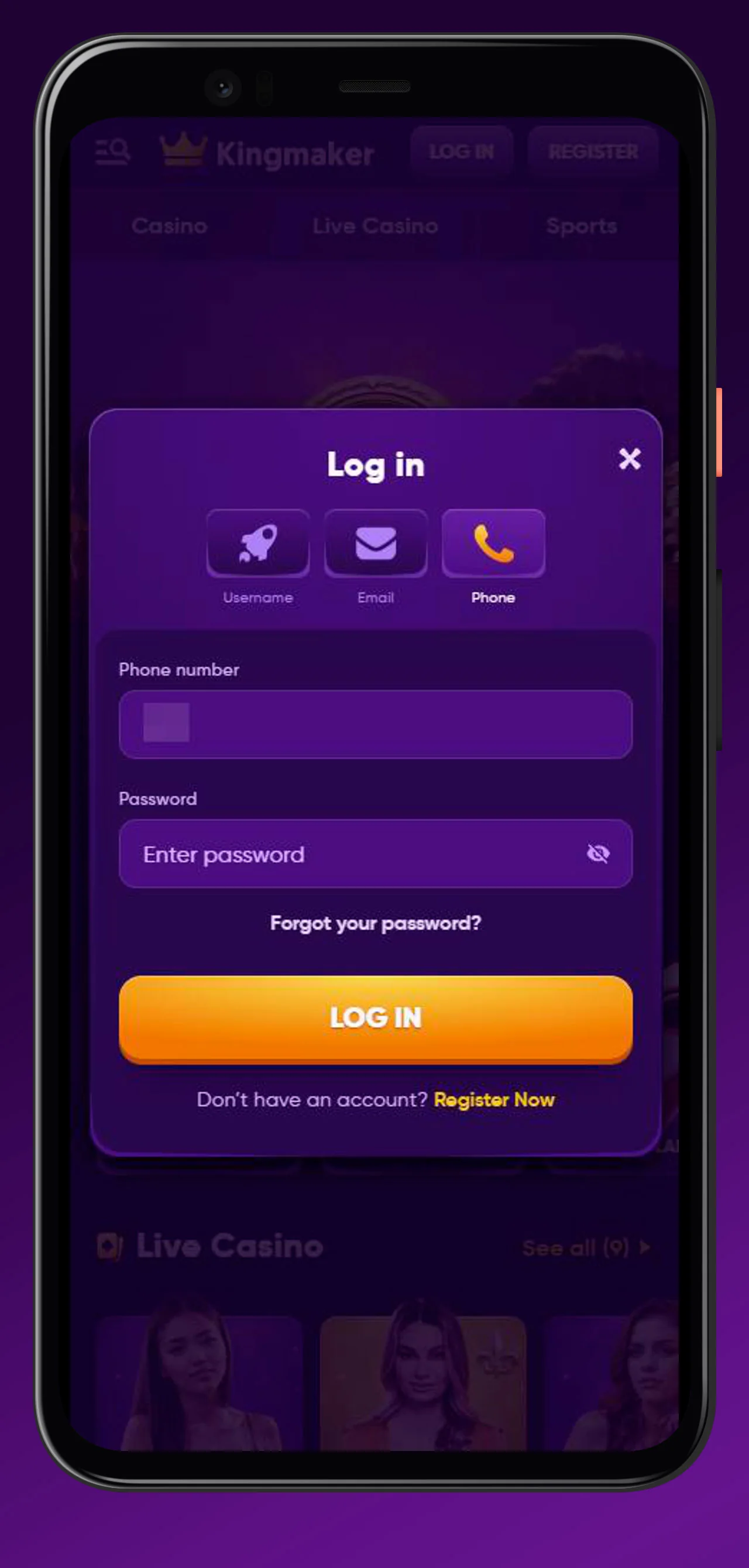
How to Install Kingmaker App on Android
Android installation takes place through the browser. The Kingmaker casino app download creates an icon on your home screen, while the platform itself continues to run through the mobile web environment. This means the standard Kingmaker casino download apk route does not require an APK file from an external source or installation through Google Play.
The main Android options are:
- Google Chrome with Add to Home Screen
- Samsung Internet with Add Page → Home Screen
Once saved, the shortcut opens KingMaker directly from the home screen and can use an app-like full-screen presentation. The Kingmaker casino app remains tied to the same account, EUR balance, promotions and betting history used elsewhere.
Installation via Google Chrome
Open KingMaker in Google Chrome before starting the installation process.
- Open the KingMaker website in Chrome.
- Tap the three-dot menu in the upper-right corner.
- Scroll to Add to Home Screen.
- Confirm with Add.
- Find the new KingMaker icon on your Android home screen and open it.
The resulting shortcut reduces the number of steps needed to return to the platform. For players searching for Kingmaker casino download free, this browser-based setup does not require purchasing a mobile application or downloading a separate installation file.
Installation via Samsung Internet
Samsung Internet uses a different menu layout from Chrome, but the result is the same. Open KingMaker in Samsung Internet, tap the menu icon at the bottom of the browser and choose Add Page.
Select Home Screen, confirm the shortcut and open KingMaker from the new icon.
This route also keeps the mobile platform connected to the same player account. There is no separate registration process for Samsung devices and no need to transfer the EUR balance between desktop and mobile access.
How to Install Kingmaker App on iOS
Apple users follow a similar process through Safari. The Kingmaker casino download ios setup adds KingMaker to the home screen rather than installing a separate native application from the App Store. Once saved, the shortcut gives faster access to the browser platform and the existing player account. This Kingmaker casino download approach works on both iPhone and iPad through Safari.
iPhone Installation via Safari
The iPhone process uses Apple’s standard Add to Home Screen function.
- Open KingMaker in Safari.
- Tap the Share icon, shown as a square with an upward arrow.
- Scroll to Add to Home Screen.
- Change the shortcut name if you want.
- Tap Add.
The KingMaker icon will then appear on the iPhone home screen. Opening it takes you directly to the mobile platform, so the Kingmaker casino app download does not require entering the web address every time you want to return.
iPad Installation
The same Safari sequence works on iPad: Share → Add to Home Screen → Add. The Kingmaker casino download ios process remains browser-based and uses the same account as desktop or iPhone access.
A larger tablet display can make it easier to move between Casino categories, Live Casino tables and sportsbook markets. KingMaker does not need a separate iPad-specific account or a dedicated tablet edition for this browser setup.
Mobile App Features and Experience
The Kingmaker casino mobile app gives access to the broader KingMaker ecosystem rather than a reduced mobile casino. Home, Casino, Live Casino, Jackpots, Sports, Live Betting, Virtual Sports, Challenges, Tournaments, Shop and VIP Levels remain part of the same navigation environment. Account tools also stay accessible.

Language selection, Help Centre and Live Chat remain relevant on mobile, while the platform navigation includes a Create Shortcut option that reinforces the browser/PWA approach. Promotions and payment access remain connected to the same player profile. For a new KingMaker user, this means there is little difference in account structure between starting on a laptop and starting on a phone. The main change is the screen size and navigation format rather than the underlying casino or sportsbook account.
Fullscreen Mode and Home Screen Shortcuts
After KingMaker is added to the home screen, the shortcut can open the platform in an app-like full-screen format. The installation documentation also allows shortcuts to be added through supported browser and device controls, while the Create Shortcut option inside KingMaker provides another direct route to this setup. A Kingmaker casino download therefore focuses on quick browser access rather than maintaining a separate mobile product.
Casino Games and Live Casino on Mobile
Casino access includes Slots, Bonus Buys, Instant Games, Table Games, Live Games, Jackpots and the wider All Games catalogue. The main lobby also provides Top, New, Popular and Exclusive sections, which helps narrow a library containing thousands of titles on a smaller screen.
Live Casino has its own mobile categories.
Gold Saloon, Roulette, Blackjack, International Tables, Game Shows, Baccarat & Dice and Poker remain available through the same account. Titles such as Speed Roulette, Gold Saloon Roulette, Ruby Blackjack and Money Time illustrate the mix of traditional tables and live entertainment formats.
Casino.org reported access to the complete game library and demo versions during its iPhone testing. Actual availability can still vary by registered country and provider restrictions.
Sports Betting and Live Betting on Mobile
Sportsbook, Live Betting and Virtual Sports can also be accessed through the Kingmaker casino app environment, allowing casino players to move into betting without switching accounts.
Mobile sportsbook features can include:
- Live Now
- Upcoming
- Highlights
- Boosted Odds
- Bet Builder
- Bet Mentor
- Booking Code
- My Leagues
- All, Today, 3h, 6h, 24h and Tomorrow filters
- decimal odds
Core sports include Football, Tennis, Table Tennis, Basketball, Ice Hockey, American Football and Baseball. The broader sportsbook also covers Volleyball, Handball, Cricket, Horse Racing, MMA, Golf, Rugby, Futsal and Esports. Bet availability changes throughout the day, so the sportsbook displayed after login provides the current selection of pre-match and live markets.
Bonuses and Coins Shop in the App
Promotions, Challenges, Tournaments, VIP and the Coins Shop remain accessible on mobile. This makes the Kingmaker casino mobile app useful beyond simply opening games because loyalty activity can also be managed from the same interface.
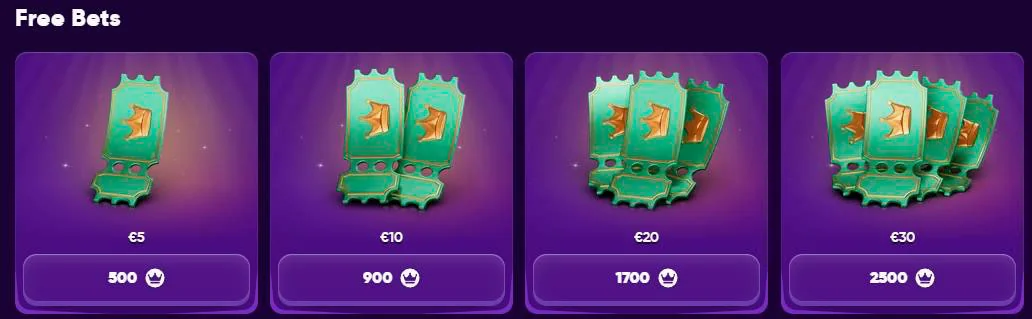
The Shop provides several reward types:
| Shop reward example | Coin cost |
| €5 Bonus Money | 500 Coins |
| €10 Bonus Money | 900 Coins |
| €20 Bonus Money | 1,500 Coins |
| €30 Bonus Money | 2,200 Coins |
| €50 Bonus Money | 3,200 Coins |
Coins can also be exchanged for selected Free Spins and Sports Freebets. KingMaker awards Coins through several types of qualifying activity, including 5% of eligible deposits, 1 Coin for every €10 wagered on casino games, Weekly and One-Time Challenges, tournament placements and level rewards. Shop Casino Bonuses use 40x wagering and a 10-day completion period. Bonus Spin winnings also require 40x wagering, while Shop Freebets are Sports-only and use their own activation and rollover rules.
Advantages of the Kingmaker Mobile Platform
The main benefit of the browser-based setup is that Android and Apple users reach the same KingMaker account without maintaining a separate application environment.
Practical advantages include:
- no confirmed native App Store or Google Play installation requirement
- home-screen installation in a few browser steps
- app-like full-screen access
- Casino and Sports through one account
- Live Casino and Live Betting
- Promotions, Challenges, Tournaments and Shop access
- Live Chat and Help Centre
- support for Android, iPhone, iPad and tablet use
Players looking specifically for Kingmaker casino download apk can therefore avoid unofficial APK files and use the documented browser shortcut instead. Likewise, a Kingmaker casino download free setup is available through normal browser tools without buying separate mobile software. Casino.org scored the mobile experience 4.2/5 in its testing and reported no noticeable glitches or lag on the tested iPhone. That is useful external feedback, although connection speed, device performance and individual game-provider availability can still affect a real session.
Conclusion
The Kingmaker casino mobile app is best understood as a browser-based HTML5/PWA experience rather than a confirmed native Android or iOS application. Android players can install a home-screen shortcut through Chrome or Samsung Internet, while iPhone and iPad users follow Safari’s Add to Home Screen process. The result is quick access to Casino, Live Casino, Jackpots, Sports, Live Betting, Virtual Sports, promotions, tournaments, Challenges and the Coins Shop through the same account. For players considering a Kingmaker casino download, this approach keeps mobile setup simple while avoiding unofficial installation packages.
FAQ
You Might Also Like

Kingmaker Casino Login & Registration
KingMaker is an online casino and sportsbook built around one player account, so registration gives you access to slots, Live Casino, jackpots,...
Kingmaker Casino No Deposit Bonus
KingMaker is an online casino and sportsbook with slots, Live Casino, sports betting, tournaments, Challenges, a Coins Shop and VIP rewards under one...
Kingmaker Casino Promo Codes - How to Use Bonus Codes
KingMaker combines online casino gaming, Live Casino and sportsbook betting in one account, with promotions ranging from deposit matches and Free...